

Audio By Carbonatix
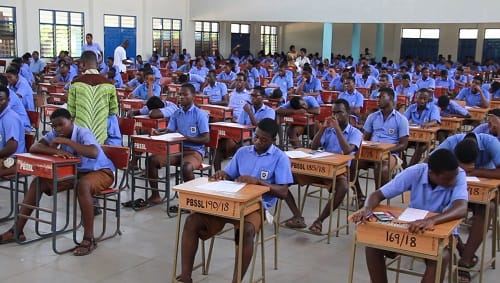
The West African Examinations Council (WAEC) has announced the release of provisional results for candidates who sat for the 2026 West African Senior School Certificate Examination (WASSCE).
The published results can be accessed through the official WAEC Ghana website at https://ghana.waecdirect.org/.
To check the result online, candidates must have a valid WAEC Result Checker containing a serial number and PIN. The voucher can be purchased by dialing *713*3998# or by visiting https://buycheckercodes.com.gh.
To check the results on a phone, candidates should:
1. On the web browser on your phone (e.g., Chrome or Safari), go to the WASSCE Result checking portal https://ghana.waecdirect.org/
3. Enter your Index Number.
4. Select the Type of Examination (e.g., WASSCE School).
5. Select your Examination Year (e.g., 2026).
6. Enter the Serial Number found on the Result Voucher
7. Enter the 12-digit Personal Identification Number (PIN) on your Result Voucher (e.g., 012345678912).
8. Confirm your Index Number and Examination Year. (This is to ensure that your examination information is correct.)
9. Click on the Submit button
10. Click "Agree" to agree to the consent agreement and wait for the WASSCE results to display in the pop-up window.
The examination body has cautioned all stakeholders to be wary of fraudsters who promise to upgrade results for a fee.
Latest Stories
-
IPEC will ensure Equity and Sustainability in SOEs Compensation
3 minutes -
White House bars CNN from travelling with Trump on Air Force One
47 minutes -
Fennis wins second consecutive ITF J60 title in Accra
51 minutes -
Spain beat England in thriller after Kane penalty miss
57 minutes -
GPL 2026/27: Zaidan’s late goal ends Hearts of Oak unbeaten start
1 hour -
CEOs demand clarity on pay harmonisation, board autonomy as FWSC engages SOEs bosses over IPEC transition
1 hour -
2026 Women’s Super Cup: FC Savannah, Epiphany Warriors maintain top spots ahead of final group games
1 hour -
‘Is EOCO responsible for determining lawyers’ fees?’ – Baffour Awuah
1 hour -
David Beckles claims second J60 Accra title
2 hours -
No France cocaine suspect linked to Mahama, Vice President’s security details – NACOC
2 hours -
Anwelle Foundation launched in Jirapa to tackle poverty, youth unemployment
2 hours -
Joy Sports Editor Fentuo Tahiru Fentuo to moderate inaugural Music Meets Football Summit in Zambia
2 hours -
Court premises too volatile for Baffour Awuah’s attempted arrest by EOCO – Inusah Fuseini
2 hours -
Drug bust: Under no circumstances will NACOC leadership be compromised – Twum-Barimah
2 hours -
VIDEO: EOCO’s attempted arrest of Baffour Awuah was flawed beyond saving – Law Lecturer
2 hours