

Audio By Carbonatix
Notifications are one of the most important parts of the iPhone experience. They keep us updated on new messages, app alerts, and system prompts without having to constantly check our apps. Apple has spent years refining how notifications work, from introducing granular controls in Settings . Notifications to rolling out Notification Summary in iOS 15. But even with these improvements, the problem remains—there are simply too many notifications, and managing them can feel overwhelming.
With the number of installed apps on the average smartphone increasing from 40 to 51, we’re seeing a flood of alerts every day. The ability to toggle notifications on or off for each app helped reduce some of the noise, and Notification Summary grouped less urgent alerts into scheduled digests. But notifications from essential apps still pile up, many of them losing relevance long before we even read them.
That’s what led me to rethink how notifications should be categorized—not just by app or urgency, but by how they actually fit into our lives.
A New Way to Classify Notifications
If you go through your Notification Center right now, you’ll likely find a mix of alerts—some requiring action, others simply providing updates, and some that were important yesterday but are now irrelevant. Instead of treating all notifications the same, it makes sense to classify them based on what they actually do.
There are actionable notifications—ones that require you to do something, like replying to a message or approving a login attempt.
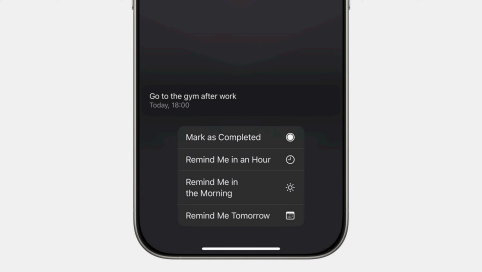
There are informational notifications, like a news update or a weather alert, that keep you informed but don’t necessarily need a response.
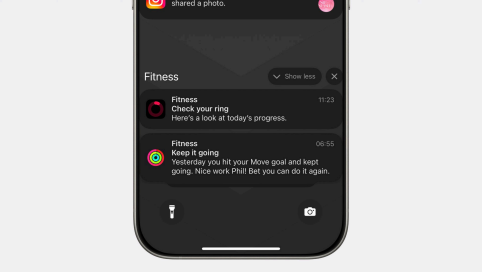
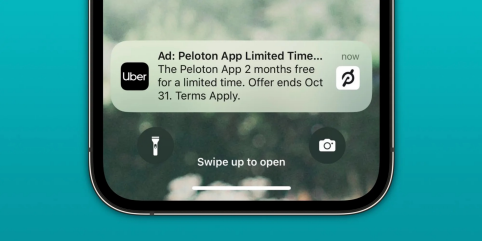
Some notifications are time-sensitive, like a limited-time promo code or a delivery update that only matters today.
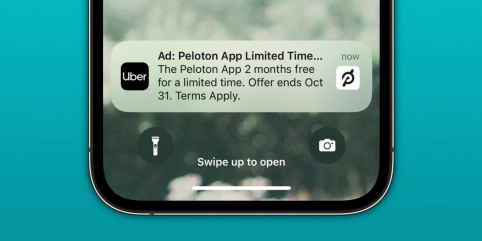
Others are always relevant, like an iCloud storage warning or a system update notification.
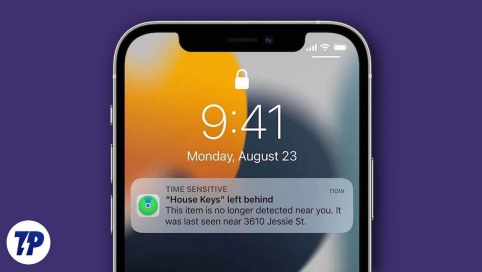
And then there’s the distinction between personal notifications—alerts that are tied directly to you, like bank transaction alerts or calendar reminders—and system-level notifications, which concern your device itself, like a low battery warning or an AirPods left behind alert.
Thinking about notifications this way makes it clear why Notification Center often feels cluttered. Many alerts have already served their purpose by the time we see them. Others repeat themselves unnecessarily, piling up with no real reason. Managing them manually feels like a chore.
The Future of Notifications: AI-Powered Organization This is where Apple’s on-device intelligence could make a real difference. Instead of relying on developers to manually tag their notifications, iOS could use machine learning to automatically organize them based on context and relevance. Apple’s Priority Notifications and summaries Apple Intelligence filters out notifications that require your urgent attention and displays them on top of the stack. Additionally, a summary showing key details of a notification will also be displayed (although it is not very useful sometimes but when it works )
Imagine a system where notifications that are no longer relevant disappear on their own. A Bolt promo code that expires at midnight doesn’t need to sit in Notification Center the next morning. An Amazon Prime Day deal should clear itself after two days instead of lingering indefinitely.
For recurring alerts, iOS could replace redundant notifications instead of stacking them. A daily gym reminder shouldn’t have three separate alerts piled up—it should simply update itself if you haven’t acted on it yet.
System alerts could also be smarter. If you get a “left behind” notification for your AirPods but later reconnect them, the alert should automatically clear instead of requiring manual dismissal. Security notifications, like motion detected on a Ring camera, could be given higher priority so they don’t get lost among other alerts.
Apple has already shown its ability to use AI for real-time text recognition, improved Siri actions, and intelligent app suggestions. Bringing that same intelligence to notifications would be a natural next step.
The Bottom Line
Notification Center shouldn’t feel like a to-do list of outdated or irrelevant alerts. With the right AI-driven approach, iOS could make notifications feel more personalized, context-aware, and self-managing— surfacing what matters, clearing what doesn’t, and making sure the most important alerts never get buried.
Apple has made big moves in AI recently. Smarter notifications might just be the next one.
Author: Phil Odai-Ayiku
email: niiphil23@gmail.com
Latest Stories
-
12th FASU Games: University of Ghana win 23 medals in Cairo
1 hour -
Jordan Ayew, Yirenkyi feature as Ghanaian trio exit Carabao Cup
4 hours -
Snapchat ‘willing to implement’ daily time limits for teens, boss tells BBC
5 hours -
Microsoft says AI rival Anthropic could have ‘disastrous impact’ on humanity
5 hours -
De la Fuente extends Spain contract to 2032
5 hours -
Raphinha hat trick in Barcelona’s 7-goal rout of Santander
5 hours -
Carabao Cup fourth-round draw: Liverpool to host Chelsea as Arsenal drawn away to League Two Fleetwood
5 hours -
Mbappe, Vini and Konate obscure Real’s Ceuta message
5 hours -
Reggie Rockstone named Unichem Ghana brand ambassador
5 hours -
Man United lose to Brighton from 2-0 up to end 50-year record
5 hours -
Man United lose to Brighton from 2-0 up to end 50-year record
5 hours -
Petrol and diesel price rises push UK inflation higher
5 hours -
City of David Foundation donates to Koforidua Hospital, Koforidua Prison
5 hours -
AMA says Konkomba traders were consulted ahead of Agbogbloshie 24-hour market project
6 hours -
Let’s pilot Chinese in public schools before scaling up – EduWatch
6 hours